Next-Gen Quality Management. Built for Compliance. Powered by AI.

QMS Software Pricing Models: A Guide to Total Cost of Ownership and Value Analysis
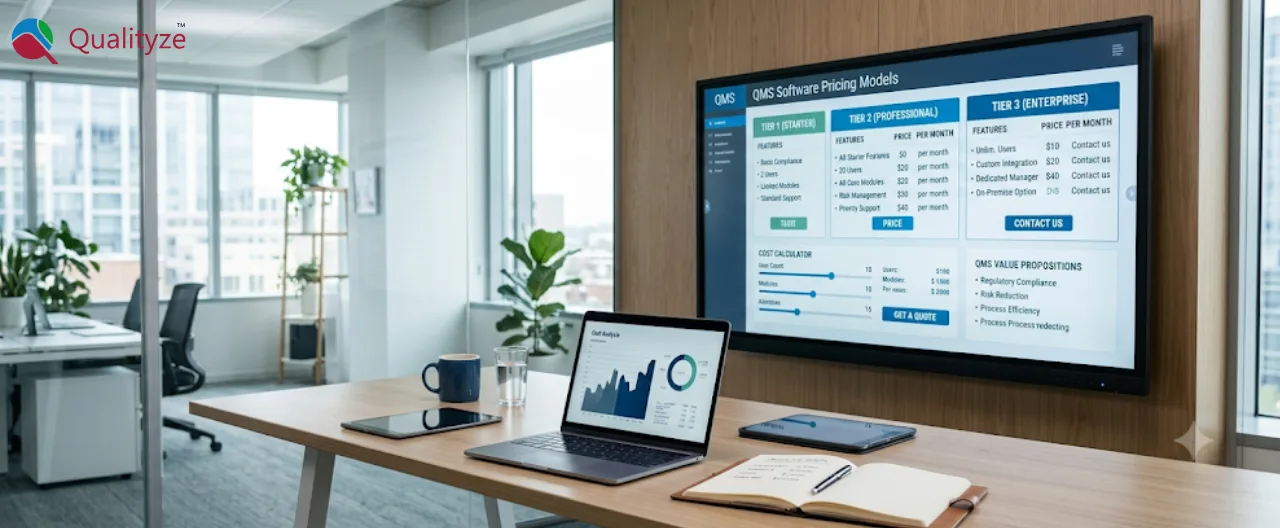
Buying a Quality Management System is rarely as simple as comparing two numbers on a vendor quote.
One QMS may appear to cost less because its subscription price is lower. Another may have a higher starting price but include implementation, support, integrations, more modules, or additional users. A third may look attractive initially, but costs can quickly add up when adding customization, validation, storage, training, and migration activities.
That is why the real question is not:
"How much does the QMS cost?"
It is:
"What will this QMS cost us to implement, operate, expand, and maintain over its useful life?"
For quality leaders evaluating QMS software, looking only at the license or subscription price can make an expensive system look cheaper than it really is.
A better approach is to evaluate the total cost of ownership (TCO) alongside the value the system is expected to deliver.
What Determines the Cost of a Quality Management System?
There is no universal QMS price.
The cost depends on what an organization needs the system to do and how broadly it plans to use it.
Some of the factors that typically influence QMS pricing include:
- Organization size: A 100-person company and a global organization with thousands of employees have very different requirements.
- Number of users: Vendors may price based on named users, concurrent users, user tiers, or other licensing structures.
- Required QMS modules: An organization using document control alone will have different requirements than one managing processes like CAPA, audits, supplier quality, training, risk, change management and complaints.
- Industry and regulatory requirements: Highly regulated industries may require additional controls, validation support, audit trails, security measures, or compliance capabilities.
- Deployment model: Cloud and on-premises deployments have different infrastructure and IT cost structures.
- Customization: Extensive custom workflows, forms, integrations and reports can increase implementation and long-term maintenance costs.
- Number of facilities: Multi-site deployments may require additional users, configurations, workflows and administration.
- Integration requirements: Connecting the QMS with ERP, HR, manufacturing, laboratory or other business systems can affect both implementation and recurring costs.
- Data volume: Historical records, documents, attachments and transactions can affect storage requirements.
- Support requirements: Standard support may be sufficient for some organizations, while others require premium support or defined service levels.
This is why a vendor quote should always be evaluated in context.
A lower subscription price does not necessarily mean a lower overall investment.
Common QMS Pricing Models Explained
QMS vendors can structure pricing in several ways. Understanding the model behind the quote makes it easier to compare vendors fairly.
Per-user pricing
Under a per-user model, the organization pays according to the number of people who need access.
This can be straightforward for smaller organizations. But costs can increase as more employees, sites, suppliers or other users are added.
It is important to clarify what counts as a user.
- Does the price include occasional users?
- Are external users charged separately?
- Are read-only users included?
- What happens when the number of users exceeds the contracted tier?
These details can have a significant impact over time.
Subscription-based pricing
Subscription pricing typically involves recurring payments, often annually or over another agreed period.
It can make budgeting easier because the organization avoids a large upfront software purchase. However, the subscription needs to be evaluated over several years rather than just the first year.
A useful comparison is:
Year 1 cost + implementation + recurring subscription + expected expansion costs
versus the same calculation for another vendor.
Module-based pricing
Some vendors price individual QMS modules separately.
This can work well if an organization needs only a few capabilities initially.
The downside appears when the organization eventually needs additional processes.
A system that looks inexpensive with three modules can become considerably more expensive after adding document management, CAPA, audit management, training, risk management, supplier quality and other capabilities.
Ask vendors how module expansion affects pricing before making a decision.
Usage-based pricing
Some software pricing models are influenced by usage, such as transactions, storage, records or other consumption measures.
This can be appropriate when usage is predictable.
It can also make future costs harder to forecast if transaction volume grows significantly.
Enterprise licensing
Enterprise licensing can provide broader access across an organization for an agreed fee or pricing structure.
For large organizations, this can be attractive when many employees, facilities or business units need access. However, the definition of what is included matters.
Check whether the license covers all facilities, business units, modules, external users, storage and integrations or whether some are priced separately.
Perpetual licensing
Traditional perpetual licensing involves purchasing a software license rather than paying a recurring subscription for the license itself. While this model can reduce recurring license payments, it does not eliminate ongoing costs.
Organizations may still need to budget for maintenance, infrastructure, support, upgrades, administration and other IT requirements.
Cloud-Based vs. On-Premises QMS Costs
Deployment model can significantly affect the total cost of ownership.
With a cloud-based QMS, much of the infrastructure is managed by the software provider. Depending on the agreement, this can reduce the organization's need to purchase and maintain dedicated servers and related infrastructure.
An on-premises QMS places more responsibility on the organization's IT team.
That may include:
- Server infrastructure
- Storage
- Backup systems
- Security controls
- Network configuration
- System monitoring
- Maintenance
- Disaster recovery
- Software upgrades
This does not automatically make cloud software cheaper in every situation. Organizations need to consider their existing IT environment, security requirements, internal expertise and deployment policies.
The important comparison is the total cost of ownership, not simply the software license.
For example, look at the table:
| Cost Consideration | Cloud-based QMS | On-premises QMS |
| Software subscription/license | Recurring | Often upfront plus maintenances |
| Infrastructure | Usually, provider managed | Organization-managed |
| IT administration | Generally lower | Generally higher |
| Scalability | Usually easier to expand | May require infrastructure planning |
| Upgrades | Typically managed by provider | Organization may manage upgrades |
| Backup/disaster recovery | Often included or available | Organization responsibility |
| Customization | Depends on platform | Often greater control but higher maintenance burden |
| Long term cost | Predictable if pricing is stable | Depends heavily on infrastructure and IT resources |
Hence, the right model depends on the organization's circumstances.
QMS Implementation Costs
The software itself is only one part of implementation.
A successful QMS implementation may involve:
Requirements gathering: Teams need to define what the system must accomplish and which processes it will support.
System configuration: This can include users, roles, permissions, forms, workflows, notifications and business rules.
Workflow design: Existing quality processes may need to be translated into digital workflows.
Validation and testing: Organizations in regulated industries may need documented validation activities appropriate to the intended use of the system.
Project management: Someone needs to coordinate the vendor, quality team, IT, business users and other stakeholders.
Go-live support: Implementation does not end when the system goes live, as users often require additional support during the transition period.
Implementation costs can vary considerably between vendors because one quote may include these services while another may list them separately.
That is why comparing license prices alone can be misleading.
The Hidden Costs of QMS Software
The most troublesome costs are often the ones that do not appear in the headline price.
1. Data migration: Historical quality records may need to be cleaned, transformed, mapped and imported.
2. Integration: Connecting the QMS to other business systems may involve additional configuration, development, API work or middleware.
3. Customization: A vendor may offer extensive customization, but custom development can create additional implementation and maintenance costs.
4. Validation: Organizations with specific validation requirements may need additional planning, documentation and testing.
5. Storage: Documents, attachments, audit evidence, investigation records and other data can accumulate quickly.
6. Technical support: The standard support package may not cover all the assistance your team needs.
7. Version Upgrades: Understand whether upgrades are included and whether customizations require additional work after an upgrade.
These costs are not necessarily bad. Some are simply the cost of implementing a serious enterprise system.
The problem occurs when they are discovered only after the contract has been signed.
QMS Training and User-Adoption Costs
A QMS is only useful when people actually use it correctly.
Implementation therefore needs to account for training and adoption.
Potential costs include:
- Administrator training
- End-user training
- Training content development
- Process-specific training
- Super-user or power-user training
- Ongoing onboarding for new employees
- Time spent learning the new system
- Temporary productivity loss during transition
There is also an indirect cost that is easy to overlook.
If a QMS is difficult to use, employees may create workarounds.
- They may continue using spreadsheets.
- They may exchange documents by email.
- They may maintain shadow databases.
Eventually, the organization ends up paying for the QMS while still maintaining the manual processes it was supposed to replace.
Ease of use should therefore be part of the value calculation.
Data Migration Costs and Risks
Data migration can become one of the most underestimated parts of a QMS project.
Legacy quality information may exist in:
- Spreadsheets
- Shared drives
- Paper files
- Older QMS platforms
- Department databases
- Email archives
Before migration, that information may need to be cleaned and standardized. Some records may contain duplicate entries. Others may use different naming conventions or formats. Paper records may need to be converted into digital files.
The organization also needs to decide what historical information actually needs to be migrated. Trying to move everything can increase cost and complexity. Moving too little can create gaps in historical traceability.
A migration plan should therefore address:
- What data needs to be retained?
- What data needs to be migrated?
- How will the information be mapped?
- How will accuracy be verified?
- How will historical records remain accessible?
QMS Integration Costs
A QMS rarely operates in isolation.
Depending on the organization, it may need to exchange information with:
- ERP systems
- CRM platforms
- Manufacturing systems
- Laboratory systems
- HR systems
- Learning management systems
- Supplier systems
Integration can reduce duplicate data entry and improve visibility, but it can also add implementation complexity.
Before selecting a QMS, identify which integrations are essential and which are simply nice to have.
Then ask the vendor:
- Is the integration supported natively?
- Is an API available?
- Is middleware required?
- Who is responsible for development?
- Is integration included in implementation?
- Who maintains the integration?
- What happens when either system is upgraded?
The answers can materially change the total project cost.
QMS Customization and Configuration Costs
There is a meaningful difference between configuration and custom development.
Configuration uses capabilities already provided by the platform. Custom development changes or extends the software beyond its standard capabilities by changing the code base. A highly customized QMS may appear to fit the organization perfectly on day one. But those customizations can create a long-term maintenance burden.
For every requested customization, ask:
Do we actually need the software to behave this way, or are we trying to make the software reproduce an old process?
Sometimes the better solution is to improve the process rather than customize the system to preserve it.
Custom reports and dashboards should also be evaluated carefully. A dashboard that takes significant development effort to maintain may not provide enough value compared with standard reporting capabilities.
Computer System Validation Costs
Validation requirements can be particularly important for regulated organizations.
Depending on the system's intended use and the organization's procedures, validation activities may include:
- Validation plan (VP)
- User Requirements Specification (URS)
- Installation qualification (IQ)
- Operational qualification (OQ)
- Performance qualification (PQ)
- Develop Requirement Traceability Matrix (RTM)
- Validation Summary report (VSR)
- Approval and documentation
- Change control
- Revalidation where required
The exact approach depends on the organization's regulatory environment and validation strategy.
When comparing QMS vendors, ask what validation support is available.
- Does the vendor provide validation documentation?
- Are validation packages included?
- What parts of the validation process remain the customer's responsibility?
These questions can prevent unexpected implementation costs.
Support, Maintenance and Upgrade Fees
Support is another area where two seemingly similar quotes can differ.
One vendor may include standard support in the subscription.
Another may charge separately for premium support or consulting.
Look at:
- Support hours
- Response times
- Service-level agreements
- Technical consulting
- System administration
- Upgrade policies
- Emergency support
- Additional-service fees
Also ask how upgrades are handled.
- If the platform is regularly upgraded, will your organization need to perform significant testing?
- Will custom workflows require redevelopment?
- Are upgrades included in the subscription?
A good pricing comparison considers what happens after go-live, not just how the system gets there.
Scalability Costs
A QMS that works well for today's organization may become expensive as the business grows.
Consider what happens when you:
- Add users
- Add facilities
- Add business units
- Enter new countries
- Add new quality processes
- Increase transaction volume
- Expand supplier or customer access
- Increase document storage
A scalable QMS should make growth manageable rather than turning every expansion into a new pricing negotiation. Pay particular attention to renewal terms. A small increase in annual pricing may not matter much initially. But significant increases over several renewal cycles can change the economics of the system.
Customer and Supplier Portal Pricing
External users can introduce another layer of cost. Organizations may want customers to submit complaints through a portal or suppliers to participate in corrective action, document exchange or quality collaboration.
But how are those users priced?
Some vendors may charge based on external users. Others may use login-based or transaction-based models.
Before committing to a QMS, ask how customer and supplier access is handled.
If external collaboration is an important part of your quality process, include those costs in your evaluation from the beginning.
QMS Price vs Value: Why the Cheapest Option May Cost More
Price matters.
But price without context can lead to a poor purchasing decision.
A low-cost QMS can become expensive if it requires extensive customization, cannot scale with the organization, lacks important functionality, or requires several third-party applications to fill functional gaps.
There is also the cost of switching systems.
If the organization outgrows the platform after two or three years, it may have to repeat:
- Data migration
- Implementation
- Training
- Validation
- Integration
- User adoption
That is a much larger cost than choosing a system that can support the organization's expected needs from the beginning.
The better question is not:
Which vendor gave us the lowest quote?
It is:
Which option gives us the best combination of functionality, scalability, usability, support and predictable cost?
How to Compare QMS Vendor Quotes
When you receive proposals from multiple vendors, put them into a common framework.
Look beyond the subscription or license figure and compare:
1. Included users: How many users are included? What happens when you exceed the limit?
2. Included modules: Which QMS capabilities are part of the quoted price?
3. Implementation scope: What configuration, workflow design, migration and project management services are included?
4. Integration allowances: How many integrations are included? What does additional integration work cost?
5. Support: What level of support is included?
6. Storage: Are there storage limits or additional charges?
7. Validation: What validation support is available?
8. Customization: Which changes are configuration, and which require paid development?
9. Renewal terms: How can subscription or maintenance pricing change at renewal?
10. Additional services:
What services are billed separately?
This comparison can turn several confusing vendor proposals into something much easier to evaluate.
QMS Pricing Comparison: What to Look At
| Pricing consideration | Initial cost | Recurring Cost | Scalability | Predictability | Best Fit |
| Per-user | Usually lower to moderate | Increases with users | Moderate | High if user growth is predictable | Smaller or growing teams |
| Subscription | Low to moderate | Regular subscription | Usually high | Generally high | Organizations wanting predictable software costs |
| Module-based | Depends on selected modules | Increases as modules are added | Depends on platform | Moderate | Organizations implementing QMS in stages |
| Usage-based | Often lower initially | Varies with usage | Depends on usage model | Lower if usage fluctuates | Organizations with predictable transaction volumes |
| Enterprise licensing | Can be higher initially | Often predictable | High | High when scope is clearly defined | Large or multi-site organizations |
| Perpetual licensing | Higher upfront | Maintenance / support may apply | Depends on deployment | Moderate | Organizations with specific IT/deployment preferences |
These are general pricing structures, not universal rules. Actual costs depend on the vendor, contract, implementation scope and organization's requirements.
Calculate Value, Not Just Price
Once the costs are understood, the next step is to look at value.
A QMS may reduce the amount of time quality teams spend on:
- Searching for documents
- Chasing approvals
- Following up on overdue CAPAs
- Preparing audit evidence
- Maintaining spreadsheets
- Entering duplicate information
- Building management reports
- Tracking training manually
- Managing corrective actions through email
Those time savings have a financial value. There may also be fewer tangible benefits.
- Better traceability can reduce compliance risk.
- Faster access to information can improve audit readiness.
- Automated workflows can reduce the chance of tasks being forgotten.
- Better visibility can help management identify problems earlier.
And a scalable platform can reduce the likelihood of having to replace the QMS when the organization grows. That is why a proper QMS business case should consider both cost avoidance and operational value.
A Simple QMS TCO Framework
Before making a decision, calculate the expected cost over several years rather than looking only at year one.
A simple framework is:
Total Cost of Ownership = Software + Implementation + Migration + Integration + Validation + Training + Support + Infrastructure + Customization + Expansion costs
Then compare that with the expected value:
QMS Value = Time savings + Reduced manual work + Improved visibility + Lower compliance risk + Faster processes + Avoided replacement costs
The numbers will vary by organization, but the exercise can reveal an important difference between vendors.
A QMS with a higher subscription price may have a lower total cost if it requires less customization, fewer third-party tools, less internal IT support and less manual administration.
The Right QMS Price Is the One You Can Understand
There is nothing wrong with negotiating a better QMS software price. But the cheapest quote should not automatically win.
A QMS is going to influence quality processes for years. The purchasing decision should therefore account for what happens after the contract is signed.
- Look at the complete cost.
- Understand what is included.
- Identify what is excluded.
- Ask what happens when your organization grows.
- Understand how integrations, support, validation, storage and customization are priced.
- Then compare the expected value against the total cost of ownership.
For organizations evaluating Qualityze or other QMS platforms, the same principle applies: look beyond the headline subscription number and evaluate the full solution against your quality processes, users, sites, regulatory needs and expected growth.
Planning a QMS investment?
Talk to a Qualityze expert to discuss your requirements. Book a Demo Now
Author

Qualityze
Qualityze Editorial is the unified voice of Qualityze, sharing expert insights on quality excellence, regulatory compliance, and enterprise digitalization. Backed by deep industry expertise, our content empowers life sciences and regulated organizations to navigate complex regulations, optimize quality systems, and achieve operational excellence.
The Start of Something Amazing.